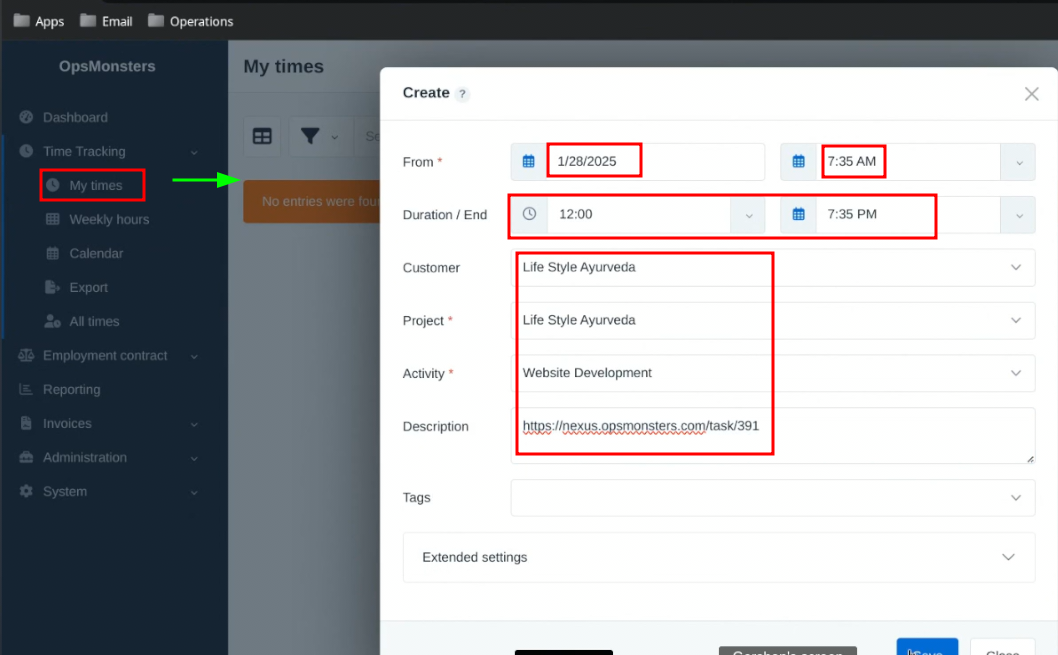
tsheets
Go to tsheet link
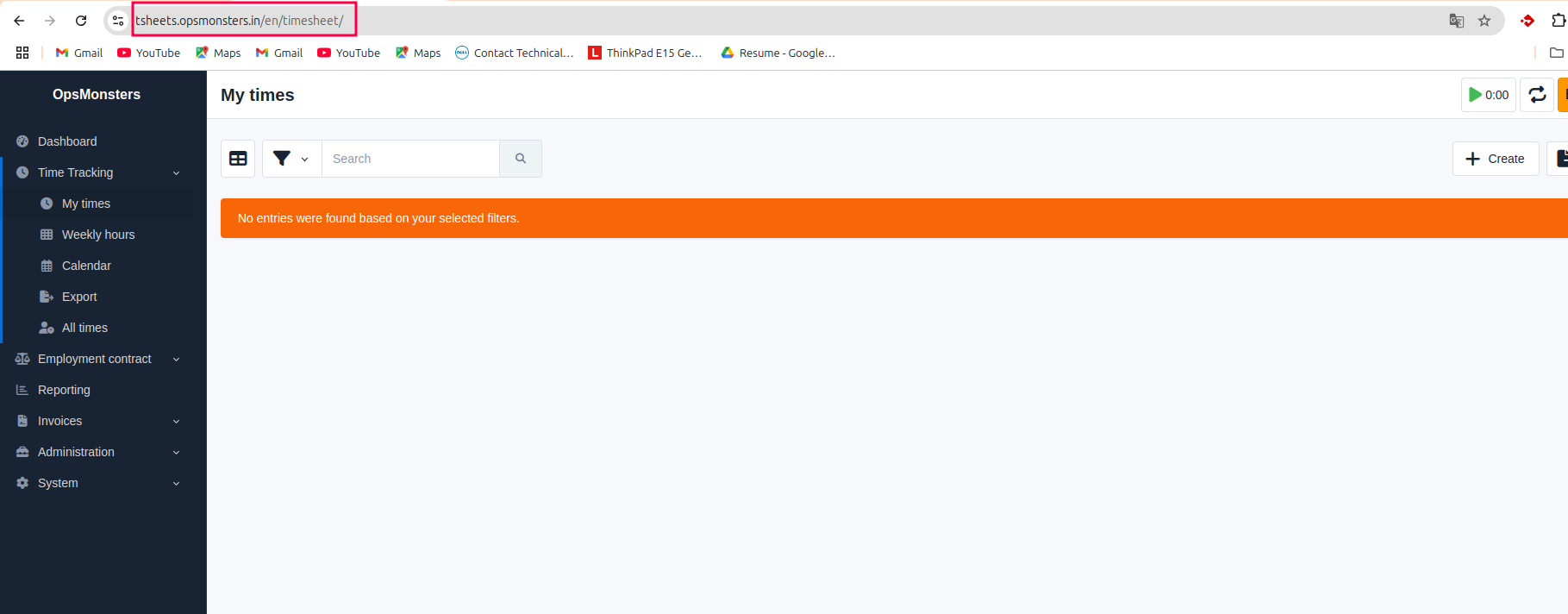
Create User
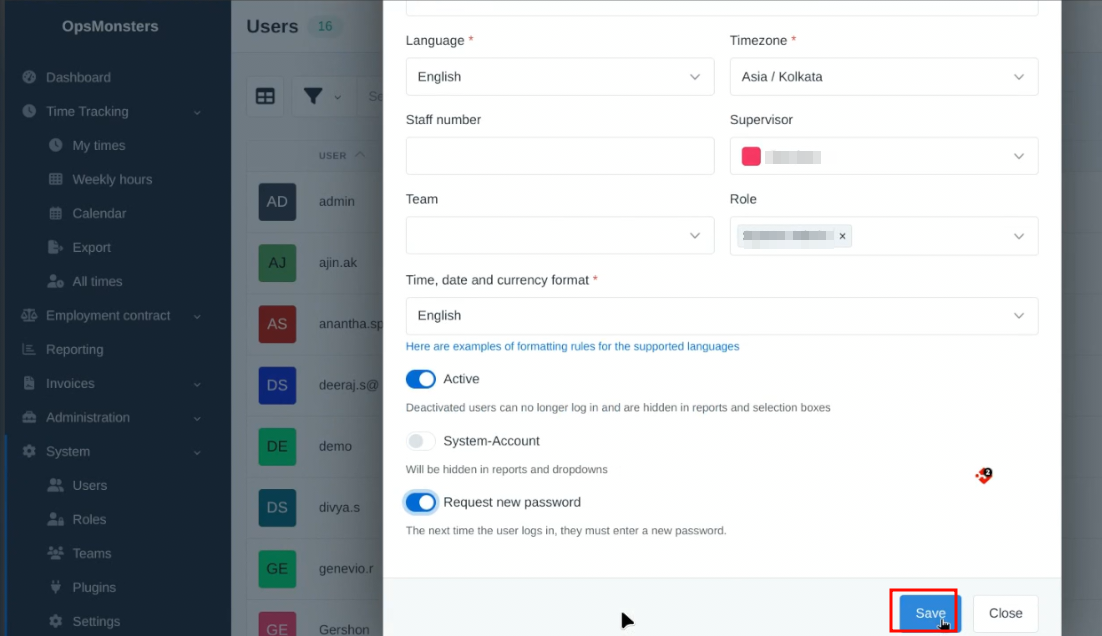
- Go toSystem after that click Users.
- Again press the create .
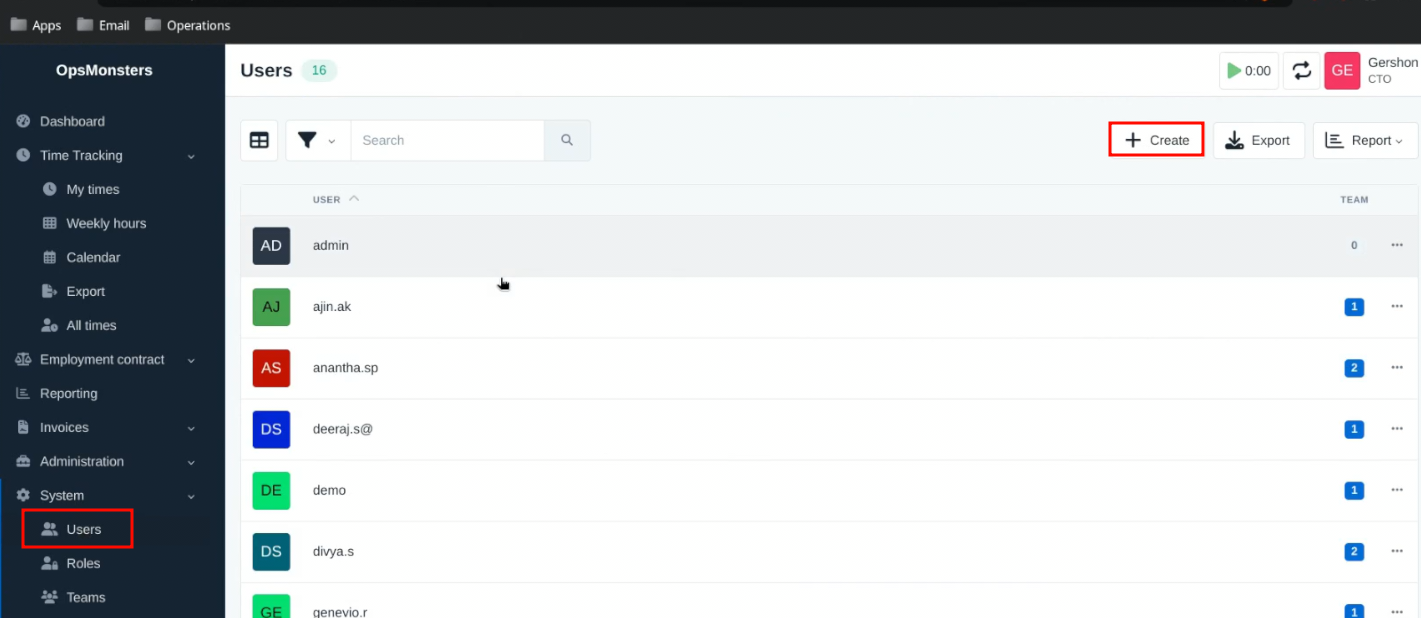
- now you will get one page.
- please complete the following details.
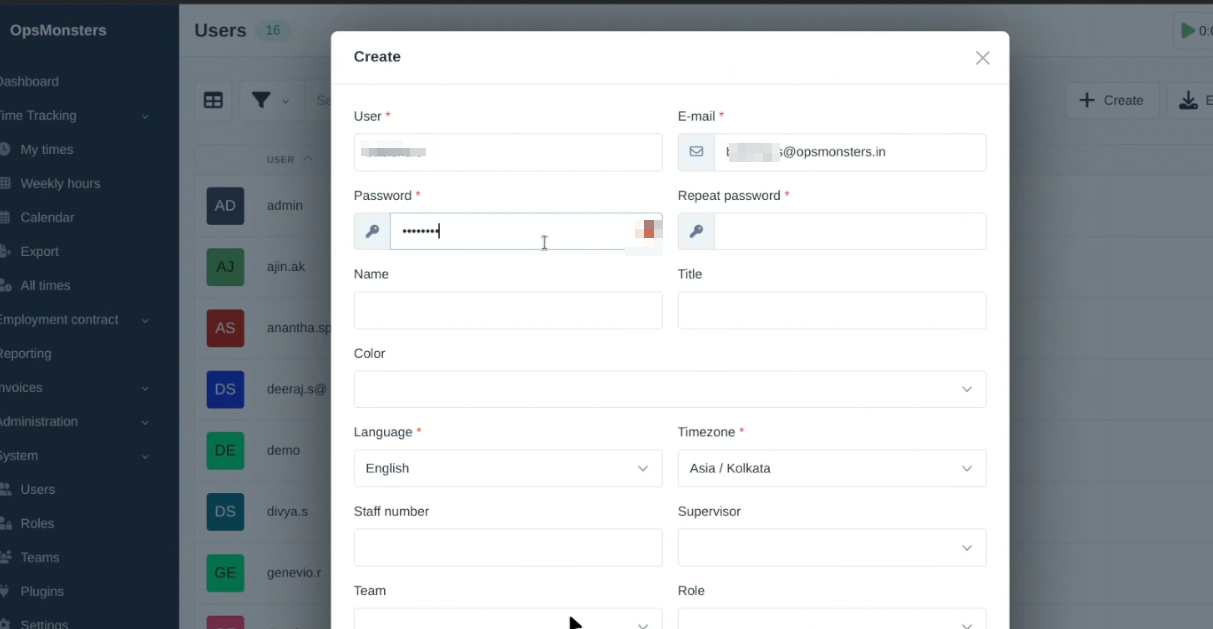
- onece everything is done click save .
Create Customers
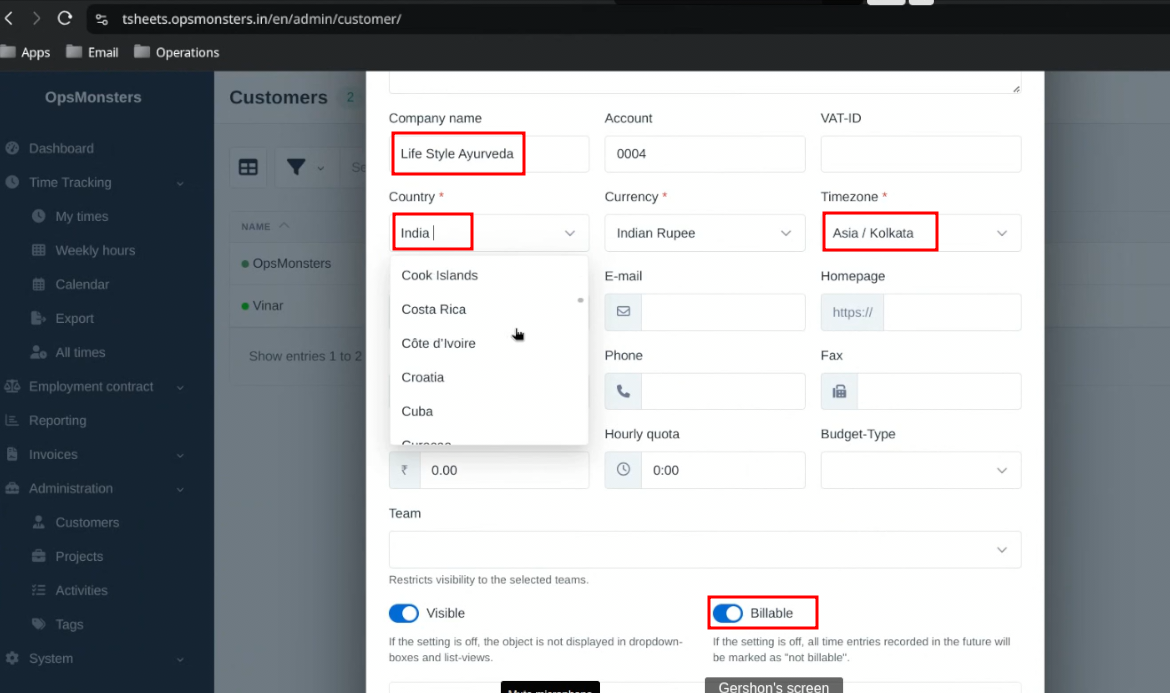
- Go to Adminstration.
- inside Adminstration Customer will be there click it
- create new customers.
- it will show another page, you need to give the proper Cutomers details.
- save it
- customer will be created.
Create Teams
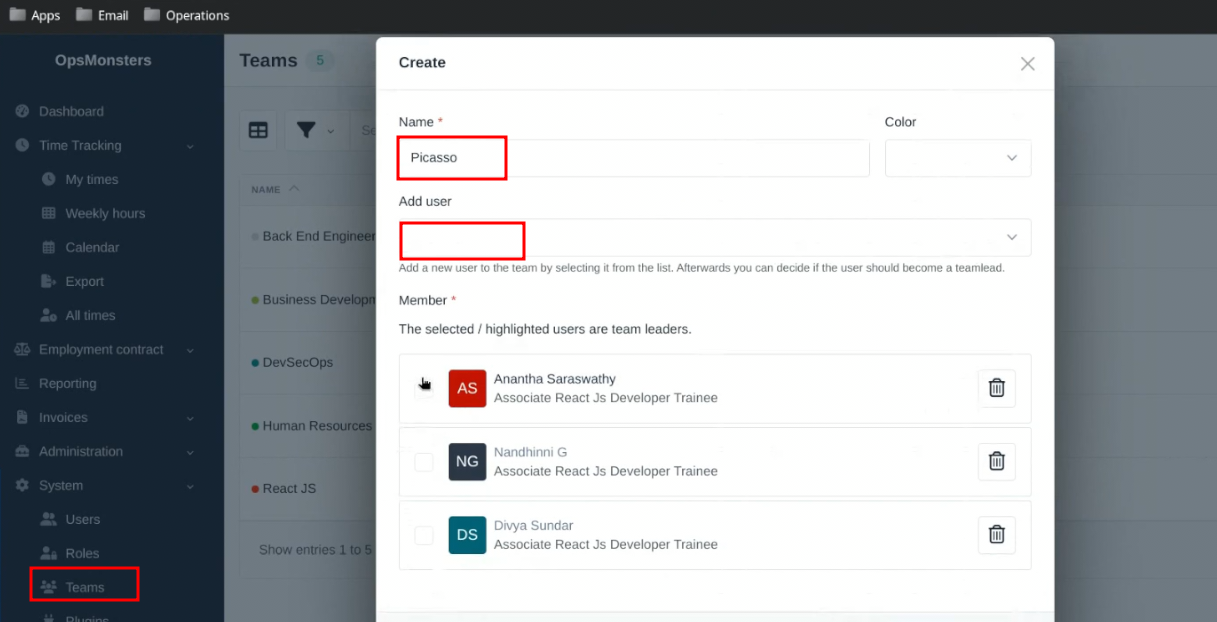
- Go to System,inside the system teams is there click it.
- create teams.
- Provide the proper teams name and add users.
- Save it.
Create Project
- Go to Administration.
- inside Administration Projects will be there click it.
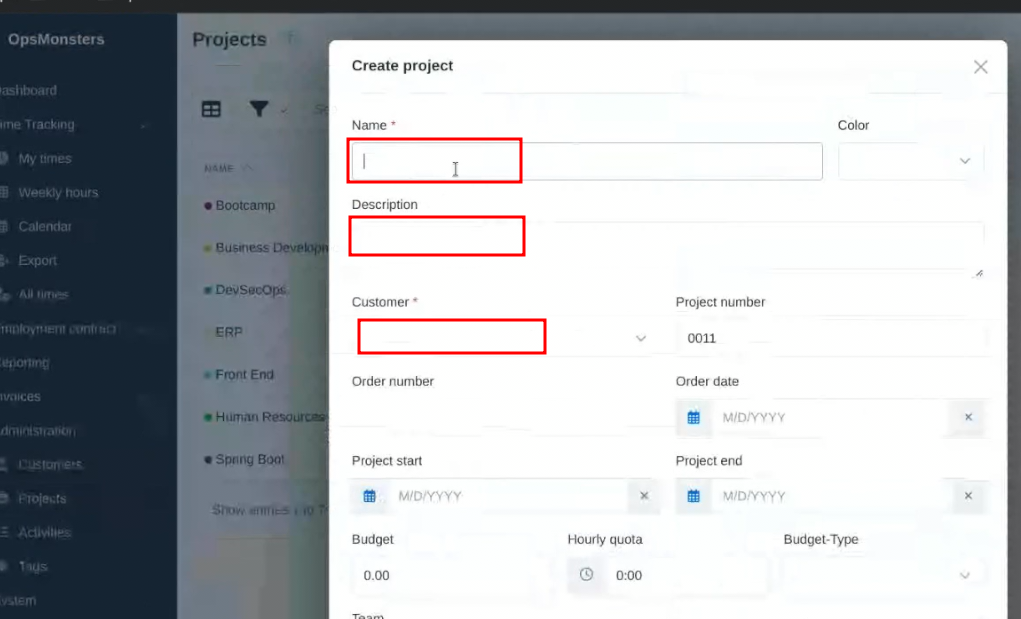
- After that create new Project.
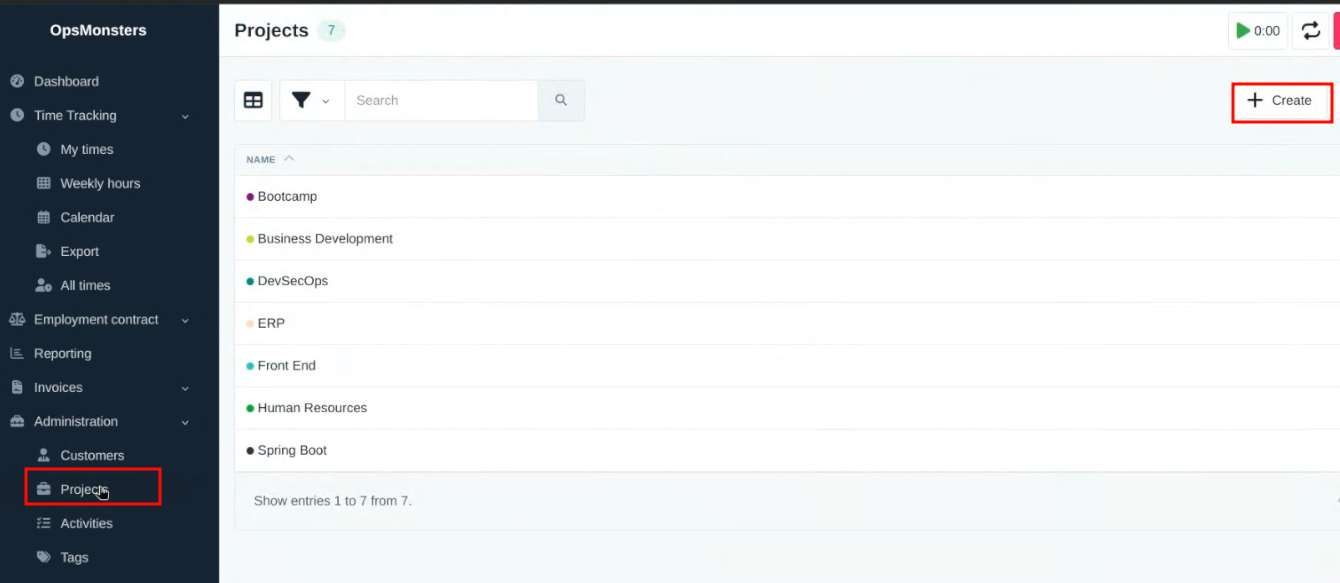
- give the Project name,Description,customers .
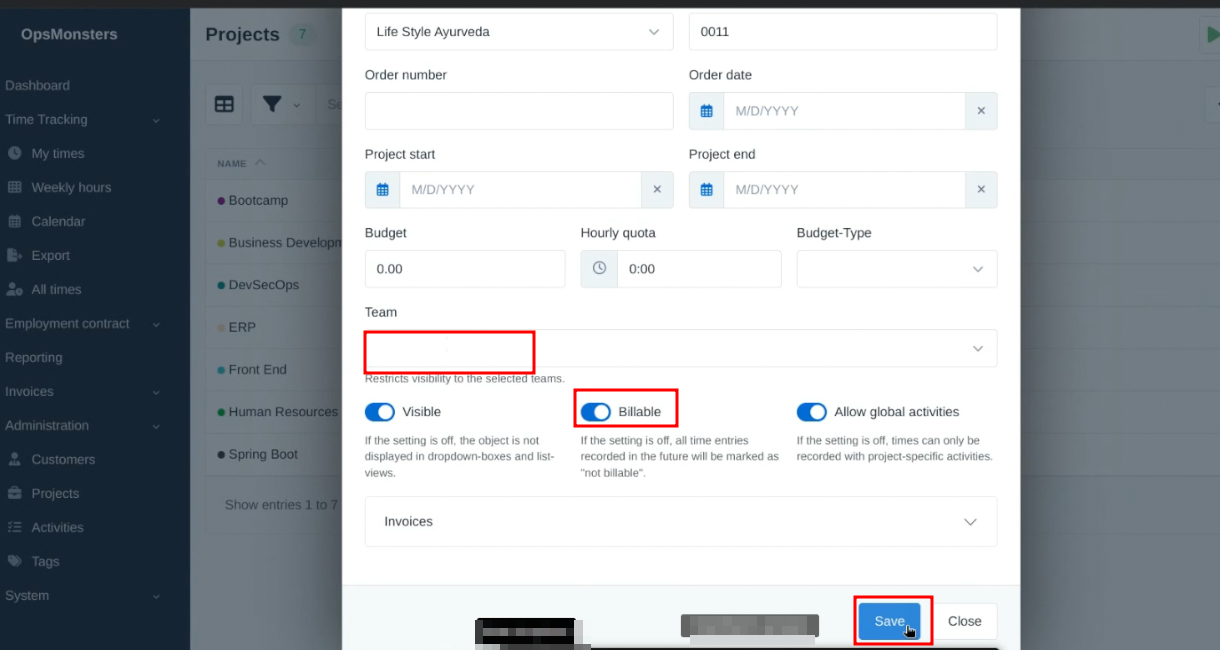
- Give the team name (What is created that should be select),it should be bellable.
- save it.
Assign Project
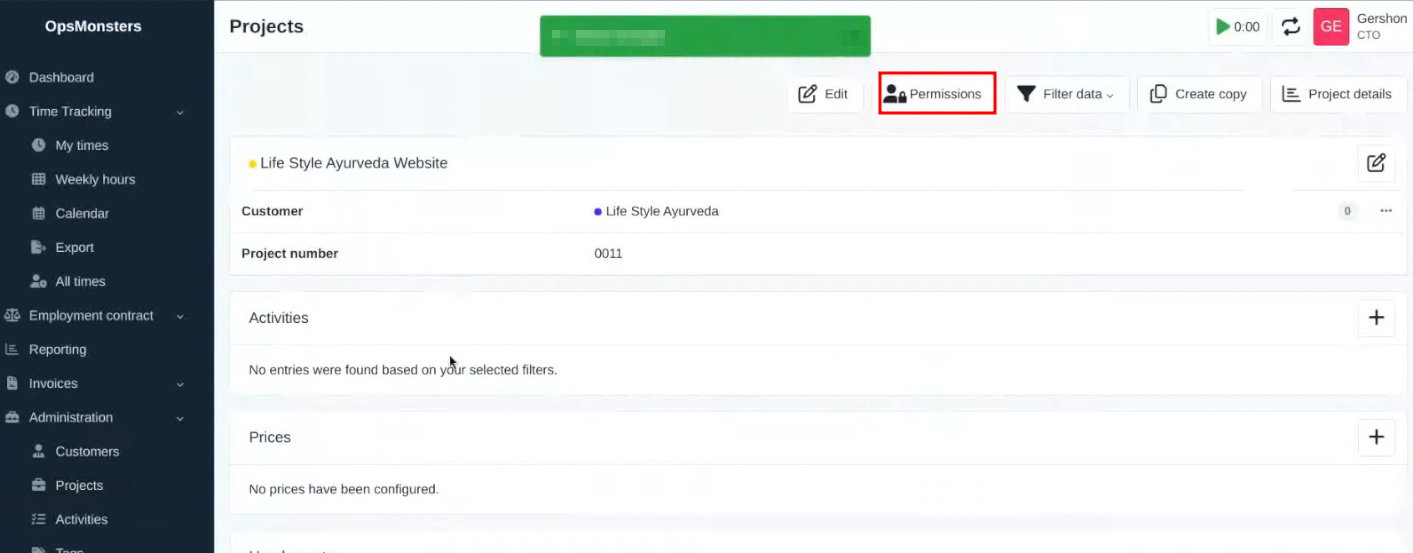
- Go to projects,in right side permission option is there click it.
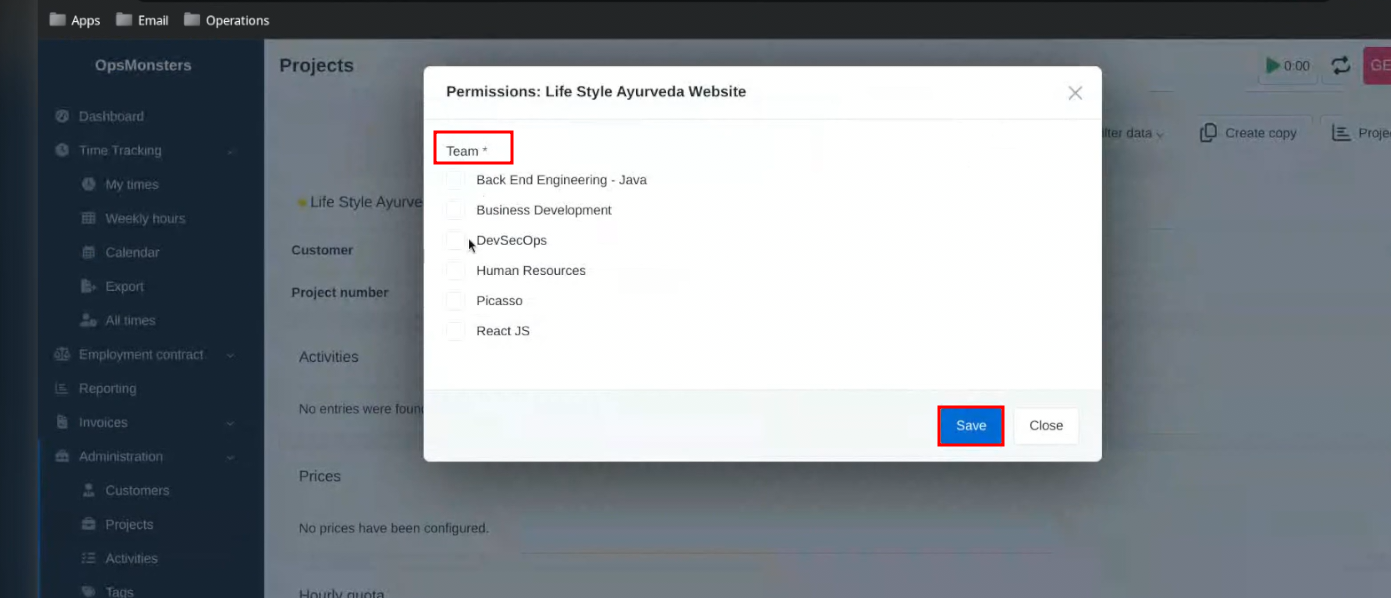
Give the Team and save it.
Create Activity
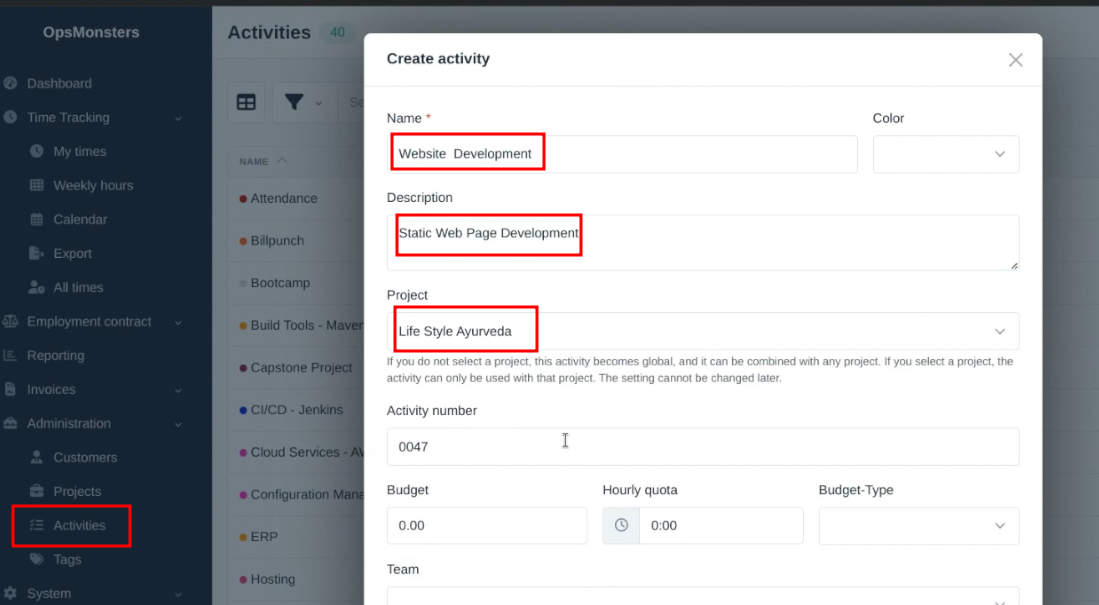
- Go to Activity.
- Provide the Name,Description,Project.
- Save it.
HOW TO FILL TSHEET
- Go to Time tracking,inside time tracking my times option is there click it.
- please provide the Date ,time ,Duration time starting to ending ,customer,project,activity and description .
- Save it.