
CREATING USER -NEXUS
Nexus Access
Creating New User:
1.Go to below link
https://nexus.opsmonsters.com/
2.go to Dashboard
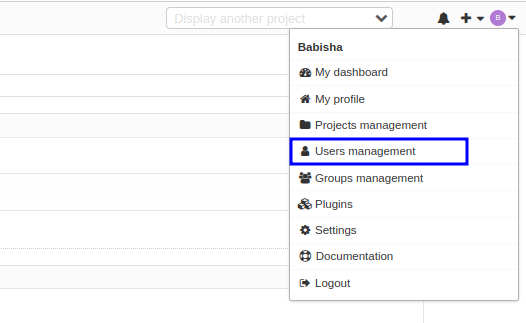
click the right side profile down arrow there is Users management click it.
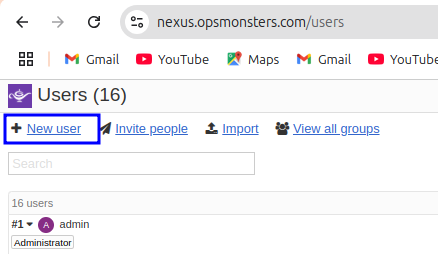
3.before page enter into Users page
below the users one (+)icon New user is there click it.
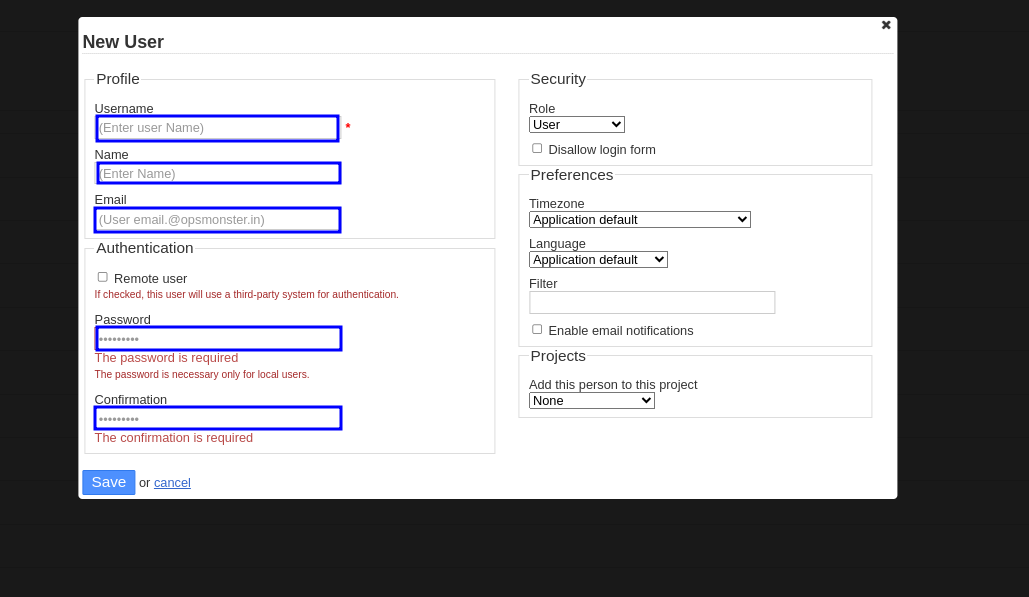
4.Now the page will enter into New User details
Fill up the Username,Name,Email,Password,confirmation and Save.
5.The new user Created.