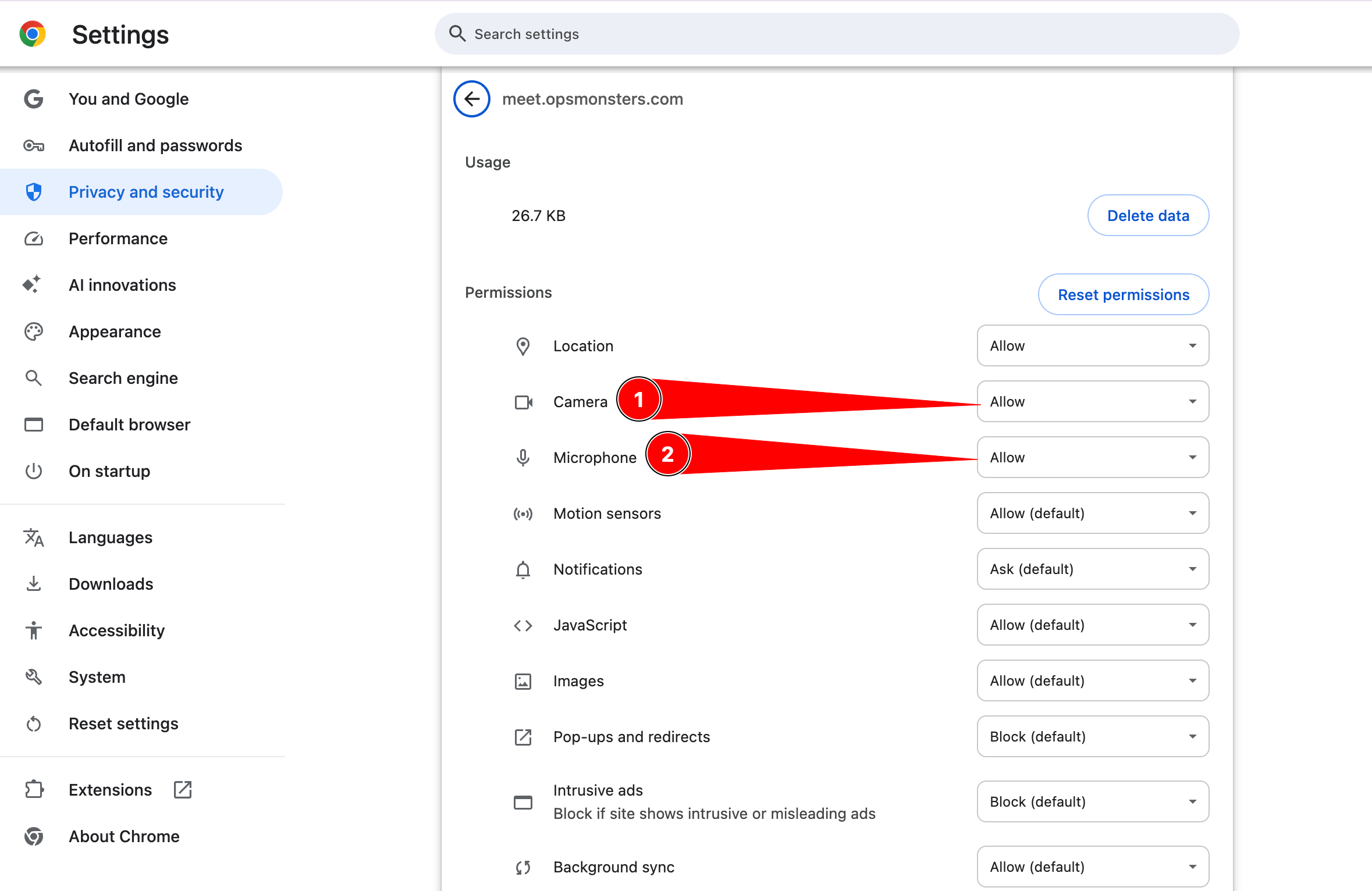
Microphone Acess
-
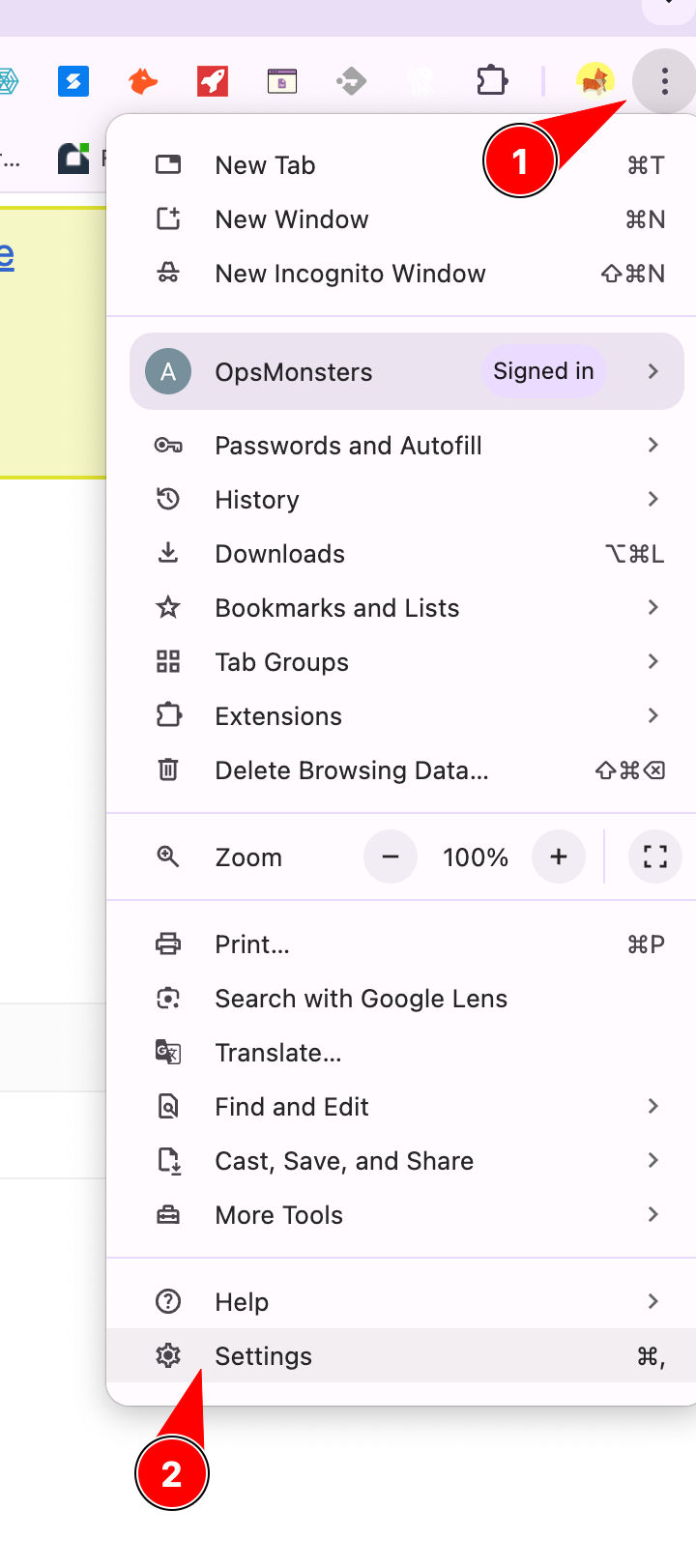
Open your Chrome browser, click on the three dots on the right side.
-
At the bottom, you’ll find ‘Settings.’ Click on it.
-
It will show the Settings page. Scroll down, and you’ll find ‘Privacy and Security.’ Click on it.
-
Under ‘Privacy and Security,’ click on ‘Site Settings.’ Then, find and click on ‘Microphone’ and give the necessary permissions.”